
How to Download Your Lovable Project Code as a ZIP without GitHub
Download your Lovable project as a ZIP from the code editor on any paid plan, no GitHub account needed. On the free plan, use Git sync or a downloader tool.
You can download your Lovable project as a ZIP file straight from the code editor, with no GitHub account. The Download codebase button is on every paid plan. On the free plan, sync the project to GitHub and download the ZIP there, or use a community downloader.
Step 1: Open Your Project
Open your project on Lovable so you have the chat interface on the left and the preview on the right.
Step 2: Access the Code Panel
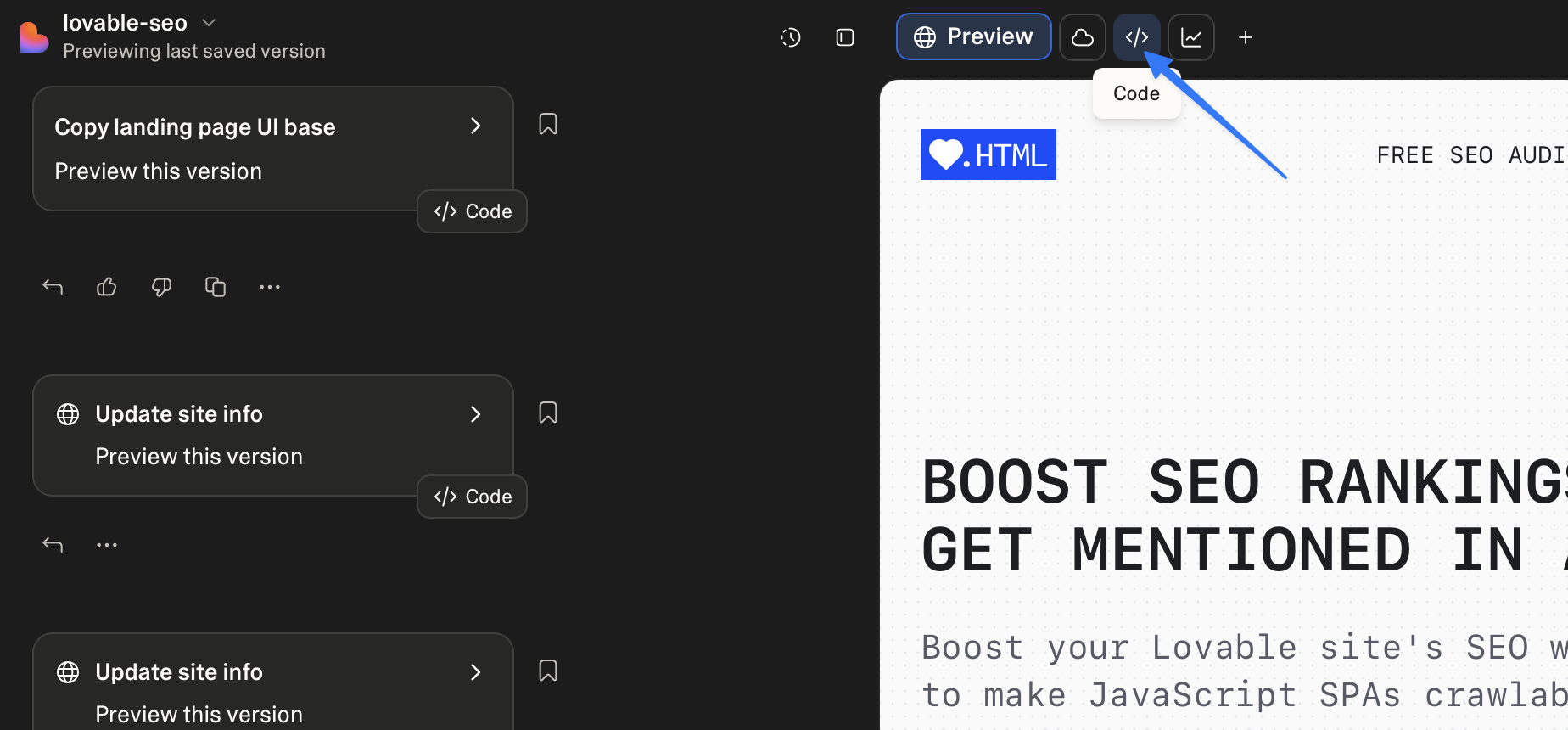
Click on the Code button located at the top left of the preview side of the page.
Step 3: Download Your Codebase
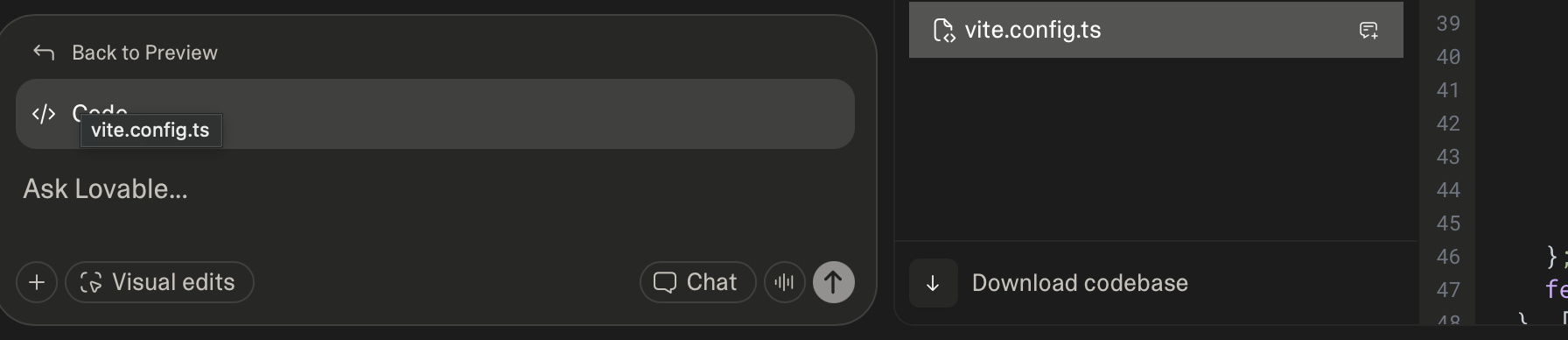
On any paid plan, a Download codebase button with a download arrow sits at the bottom of the file explorer (see screenshot). Anyone with edit access to the project can use it.
Click it and your codebase downloads as a ZIP file.
The same option is in Project settings → Git, under Download codebase. On Enterprise workspaces, admins can limit downloads to workspace admins and owners. Everyone else sees the button disabled.
Download a Lovable project on the free plan
Download codebase is a paid-plan feature, and on the free plan the code editor is read-only. Two routes still get your code out:
- Sync to GitHub, then download the ZIP. Git sync works on every plan. Connect the project to GitHub (step-by-step guide), open the new repository on GitHub, click Code, then Download ZIP. You need a free GitHub account for this route.
- Download single files. The Download button in the file toolbar saves the open file, on any plan. It saves one file at a time, so it suits a config file or a single component.
Lovable project downloader extensions and the CLI
Community tools can also save a Lovable project as a ZIP. Lovable doesn't make or support any of them.
- Browser extensions. Chrome and Firefox both have Lovable downloader extensions. They add a download button on lovable.dev and run in your browser while you're logged in to Lovable. They act with your Lovable login, so check who publishes one and what permissions it asks for before you install it.
- lovable-downloader CLI. An open source command line tool, installed with
cargo install lovable-downloader. It needs your Lovable bearer token, which you copy by hand from anapi.lovable.devrequest in your browser's DevTools. It skips files over the API size limit, so compare the output with your project's file list.
Which download method to use
| Method | Made by | Plan | What you need | What you get |
|---|---|---|---|---|
| Download codebase button | Lovable | Any paid plan | Edit access to the project | The whole project as a ZIP |
| Git sync, then Download ZIP on GitHub | Lovable and GitHub | Any plan | A GitHub account | A ZIP and a repository in two-way sync |
| Download button in the file toolbar | Lovable | Any plan | Access to the project | One file |
| Browser extension | Community | Unofficial | Trust in the extension's publisher | The project as a ZIP |
| lovable-downloader CLI | Community | Unofficial | Rust's cargo and your bearer token | The project files, minus any over the API size limit |
Common Questions About Lovable
What is Lovable?
Lovable is an AI-powered app builder that lets you create full-stack web applications using natural language prompts. You describe what you want, and Lovable generates the code, designs the UI, and deploys it.
Is Lovable SEO friendly?
Lovable apps are built as Single Page Applications (SPAs) using React. While SPAs offer great user experiences, they can present challenges for SEO because search engine crawlers may not execute JavaScript to see your content.
To make your Lovable app fully SEO-friendly, you need a pre-rendering solution like Encited that serves fully-rendered HTML to search engines and bots while keeping the SPA experience for your users.
What is SSR and why does it matter?
Server-Side Rendering (SSR) means generating HTML on the server before sending it to the browser. This is important for SEO because search engine crawlers can immediately see your page content without waiting for JavaScript to load.
Lovable apps are client-rendered by default, which means the HTML is generated in the browser. Pre-rendering services like Encited solve this by rendering your pages ahead of time and serving that HTML to crawlers.
Can I export my Lovable project to GitHub?
Yes! Lovable has built-in GitHub integration. You can connect your GitHub account and push your project to a repository. Check out our guide on how to export your Lovable project to GitHub for detailed steps.
Do I need a paid plan to download my code?
The Download codebase button is on all paid plans, for anyone with edit access to the project. On the free plan, use Git sync, which works on every plan, and download the ZIP from GitHub.