Verify Googlebot
Verify Googlebot: check if a crawler IP is real
Paste an IP from your server logs. The tool checks it against Google's published IP ranges and runs the reverse and forward DNS lookup, so you know if the visit came from the real Googlebot.
Why fake Googlebots exist
Any client can send the Googlebot user agent. The IP address is the only part of a request it cannot fake, so verification always starts from the IP.
- Scrapers
- Content and price scrapers send a Googlebot user agent because many sites never block Google. The user agent is one line of text that any client can set.
- Firewall bypass
- Some firewall and rate-limit rules let anything named Googlebot through. A fake Googlebot uses that gap to crawl pages a normal bot cannot.
- Vulnerability scans
- Scanners hide in Googlebot traffic so their requests look normal in the logs.
- Bad crawl data
- Fake hits make your logs say Google crawls pages it never fetched. An SEO audit built on those logs reads the wrong crawl rate and the wrong errors.
Method 1: reverse and forward DNS lookup
This check is called forward-confirmed reverse DNS, or FCrDNS. It needs no list, only two DNS lookups.
Run a reverse DNS lookup on the IP
Look up the name of the IP from your log. A real Google crawler returns a name that ends in googlebot.com, google.com or googleusercontent.com.
Check the domain
crawl-*.googlebot.com and geo-crawl-*.geo.googlebot.com are Googlebot. rate-limited-proxy-*.google.com are special crawlers. *.gae.googleusercontent.com and google-proxy-*.google.com are user-triggered fetchers. Any other domain is not Google.
Run a forward DNS lookup on that name
Look up the IP of the name from step 1. Anyone can set the reverse DNS record of an IP they own, so the name alone proves nothing.
Compare the IPs
The forward lookup must return the IP from your log. If it does, the request came from Google. If it returns another IP or nothing, the request is fake.
# macOS and Linux
$ host 66.249.66.1
1.66.249.66.in-addr.arpa domain name pointer crawl-66-249-66-1.googlebot.com.

$ host crawl-66-249-66-1.googlebot.com
crawl-66-249-66-1.googlebot.com has address 66.249.66.1

# The same check with dig
$ dig -x 66.249.66.1 +short
crawl-66-249-66-1.googlebot.com.
$ dig crawl-66-249-66-1.googlebot.com +short
66.249.66.1
# Windows (PowerShell or Command Prompt)
> nslookup 66.249.66.1
Name:    crawl-66-249-66-1.googlebot.com
Address:  66.249.66.1

> nslookup crawl-66-249-66-1.googlebot.com
Name:    crawl-66-249-66-1.googlebot.com
Address:  66.249.66.1
Method 2: Google's published IP ranges
Google publishes the IP ranges of its crawlers as JSON files, in CIDR notation such as 66.249.64.0/27. An IP inside a range is a Google crawler. This is faster than DNS when you check many IPs, and it is how firewall rules verify bots.
- common-crawlers.json
- Googlebot and the other common crawlers of Google products. They always follow robots.txt for automatic crawls. Their names end in googlebot.com.
- special-crawlers.json
- Special-case crawlers such as AdsBot, which crawl for one product when the site and that product agree to it. They may or may not follow robots.txt. Their names start with rate-limited-proxy and end in google.com.
- user-triggered-fetchers.json
- Fetches that a user starts, made by apps that run on Google Cloud, for example an app that fetches an RSS feed for its user. They ignore robots.txt. Their names end in gae.googleusercontent.com.
- user-triggered-fetchers-google.json
- Fetches that a user starts, made by Google's own tools such as Google Site Verifier. They ignore robots.txt. Their names start with google-proxy and end in google.com.
- user-triggered-agents.json
- A third list in the user-triggered category, with IPv6 ranges only.
# Download Google's common crawler ranges
curl -s https://developers.google.com/static/crawling/ipranges/common-crawlers.json \
  | jq -r '.prefixes[] | .ipv4Prefix // .ipv6Prefix'

66.249.64.0/27
66.249.64.32/27
...
The googleusercontent.com trap
Some IPs that look like Google resolve to googleusercontent.com. Only one kind of these is a Google fetcher, and none of them is Googlebot.
- *.gae.googleusercontent.com
- A user-triggered fetcher: an app on Google Cloud that fetches a page for its user. The IP is in user-triggered-fetchers.json. It passes Google's check, but it is not Googlebot and it ignores robots.txt.
- *.bc.googleusercontent.com
- A Google Cloud virtual machine that a Google Cloud customer rents. Anyone can rent one and send a Googlebot user agent from it. Treat it as fake.
- Any other name
- Check the IP against the range files. If it is not in a Google list, it is not a Google crawler, whatever the reverse DNS says.
Find the real client IP in your logs
Behind a CDN, a load balancer or a reverse proxy, your server logs the proxy's IP. Verify the IP the proxy saw instead. Each CDN puts it in a header.
- CF-Connecting-IP
- Set by Cloudflare. Holds the IP that connected to Cloudflare. Use it when your site runs behind Cloudflare.
- True-Client-IP
- Set by Akamai, and by Cloudflare when you turn it on.
- Fastly-Client-IP
- Set by Fastly.
- X-Forwarded-For
- A list of IPs, one added by each proxy. The client can send its own value, so trust only the entry that your own proxy or CDN added: read from the right and skip the proxies you run.
- X-Real-IP
- Set by Nginx and some load balancers. It is only correct when your own proxy sets it.
# Nginx behind Cloudflare: log the visitor IP, not Cloudflare's
# Add one set_real_ip_from line for each Cloudflare range.
set_real_ip_from 173.245.48.0/20;
set_real_ip_from 2400:cb00::/32;
real_ip_header CF-Connecting-IP;
# List the IPs that claim to be Googlebot, with their hit count
grep -i "googlebot" /var/log/nginx/access.log \
  | awk '{print $1}' | sort | uniq -c | sort -rn | head -20
Scripts to verify Googlebot
Use a script to check every Googlebot IP in a log file. The Python script checks the IP ranges first and falls back to DNS. The Bash script runs the DNS check.
import ipaddress, json, socket, urllib.request

LIST = "https://developers.google.com/static/crawling/ipranges/common-crawlers.json"
GOOGLE = (".googlebot.com", ".google.com")

def google_ranges():
    with urllib.request.urlopen(LIST) as resp:
        data = json.load(resp)
    return [ipaddress.ip_network(p.get("ipv4Prefix") or p["ipv6Prefix"])
            for p in data["prefixes"]]

def is_googlebot(ip: str, ranges) -> bool:
    addr = ipaddress.ip_address(ip)
    if any(addr in net for net in ranges):
        return True
    try:
        host = socket.gethostbyaddr(ip)[0]
        if not host.endswith(GOOGLE):
            return False
        return ip in socket.gethostbyname_ex(host)[2]
    except OSError:
        return False

ranges = google_ranges()
for ip in ["66.249.66.1", "203.0.113.7"]:
print(ip, "real" if is_googlebot(ip, ranges) else "fake")#!/usr/bin/env bash # Usage: ./verify-googlebot.sh 66.249.66.1 ip="$1" host=$(dig -x "$ip" +short | sed 's/\.$//') case "$host" in *.googlebot.com|*.google.com) ;; *) echo "$ip: fake ($host)"; exit 1 ;; esac if dig "$host" A "$host" AAAA +short | grep -qx "$ip"; then echo "$ip: real Google crawler ($host)" else echo "$ip: fake (forward lookup does not match)"; exit 1 fi
Block fake Googlebots at the firewall
Cloudflare marks verified crawlers with cf.client.bot, so one custom rule blocks every request that says Googlebot and comes from another IP. On Nginx, build the same check from Google's range file.
# Cloudflare: Security > WAF > Custom rules > Create rule
# Expression
(http.user_agent contains "Googlebot" and not cf.client.bot)

# Action
Block   (or Managed Challenge while you test the rule)
# 1. Build the range file, and refresh it every day with cron
curl -s https://developers.google.com/static/crawling/ipranges/common-crawlers.json \
  | jq -r '.prefixes[] | (.ipv4Prefix // .ipv6Prefix) + " 1;"' \
  > /etc/nginx/googlebot-ranges.conf

# 2. In the http block
geo $google_ip {
  default 0;
  include /etc/nginx/googlebot-ranges.conf;
}
map $http_user_agent $claims_googlebot {
  default 0;
  ~*googlebot 1;
}
map "$claims_googlebot:$google_ip" $fake_googlebot {
  default 0;
  "1:0" 1;
}

# 3. In the server block
if ($fake_googlebot) { return 403; }- Match the IP, not the name
- Block a request that says Googlebot and fails the IP check. Never block every request that says Googlebot, and never allow every one.
- Keep the lists current
- Google adds ranges often. A rule built on an old copy of the file blocks the new real Googlebot IPs. Refresh the file every day.
- Include all Google files
- A rule that checks only common-crawlers.json blocks AdsBot and the user-triggered fetchers, such as Google Site Verifier. Add the other files if those requests matter to you.
- Challenge before you block
- Start with a challenge or a log-only rule for a week. Check that no request from a Google range was stopped, then switch to block.
- Do not slow the real crawler
- A rate limit that hits real Googlebot makes Google crawl less. Exempt verified Google IPs from rate limits.
Real crawl error or fake Googlebot?
Does the request say it is Googlebot?
Check the user agent in the log. If it does not say Googlebot, this tree does not apply.
Is the IP the real client IP?
If the site runs behind a CDN or a proxy, read the IP from CF-Connecting-IP or the header your proxy sets. The IP of the CDN is never the crawler.
Is the IP in a Google range, or does it pass the DNS check?
If not, the request is fake. Its 403 and 404 errors are not crawl errors, so leave them out of your crawl report and block the IP.
Is it Googlebot or another Google fetcher?
A user-triggered fetcher is a person running a Google tool or an app on Google Cloud. Its hits do not show how Google Search crawls the site.
Did the real Googlebot get an error?
A 403, 429 or 5xx to a verified Googlebot is a real crawl problem. Check firewall rules, rate limits and server errors for that IP first. The Crawl Stats report in Google Search Console shows the errors Google itself saw.
Did it get the full page?
If the status is 200 but the page is not indexed, test the page as Googlebot to see the HTML Google gets.
What to do with a fake Googlebot
Confirm it
Check two or three of the IPs with the tool above. Scrapers often rotate through a whole hosting range.
Block or challenge it
Add a firewall rule that blocks requests that claim Googlebot and fail the IP check. The Cloudflare and Nginx rules above do this.
Clean your crawl data
Remove the fake hits from your log reports, so the crawl rate and errors you report are Google's.
Watch for the next one
Fakes come back from new IPs. Check new Googlebot IPs in the logs every week, or use a tool that checks each visit for you.
Verify Googlebot FAQ
More free SEO tools
- SEO Audit30 checks for crawlability, SEO, and AI readiness
- Crawler SimulatorSee what 100+ search and AI bots get from your page
- Googlebot SimulatorFetch your page as Googlebot Smartphone or Desktop
- Redirect CheckerTrace redirect chains and the status code of each hop
- Robots.txt CheckerCheck which crawlers are allowed or blocked
- OG Image CheckerCheck OG images and preview social link cards
- Meta Tag AuditAudit meta tags and generate a fix prompt
- AI Readiness CheckerCheck if ChatGPT, Claude and Perplexity can read your site
Related guides
“Encited has become my go-to for all Lovable projects. I saw an uptick in crawls almost immediately after switching. Honestly one of the best dev/SEO tools I’ve used. Aki was also amazing on support. Love it!”







See every real Googlebot visit to your site
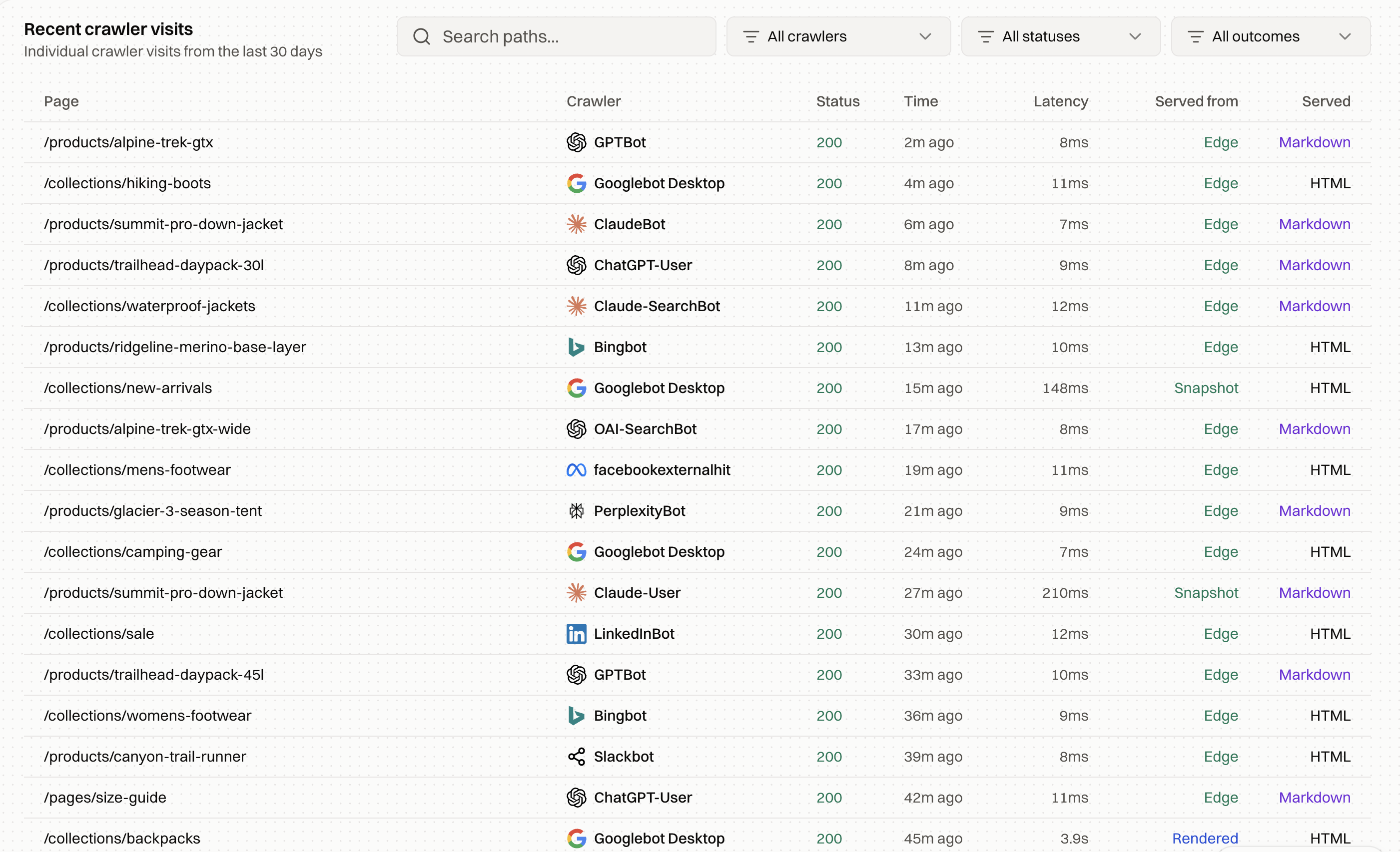
Crawl logs record each bot visit and check its IP against the crawler's published ranges, so you see which visits are the real Googlebot and which only use its name.
- Every visit with the page, status and what was served
- IP check against Google, Bing, OpenAI and other published ranges
- Query visits that fail the check from Claude through the Encited MCP