10 Ways to Get Google to Index Your Website Fast (2026)
Check if Google has indexed your website, then get it indexed fast: sitemaps, URL Inspection, internal links, blocker fixes, and how long it takes.
To get your website indexed by Google, verify it in Google Search Console, submit an XML sitemap, request indexing for your key pages with the URL Inspection tool, and link each new page from a page Google has already indexed. When pages still aren't indexed, Search Console usually shows the reason: a robots.txt rule, a noindex tag, a canonical pointing elsewhere, or content that only appears after JavaScript runs.
You published the page and Google still doesn't show it. On a new site, that's a sitemap Search Console accepted weeks ago and a Pages report stuck at zero; on an older one, it's the post that hasn't appeared while everything else gets picked up overnight. This guide covers how to get your website indexed by Google in 2026: how to check what Google has indexed, the 10 steps that get pages in, why pages stay out, and how long indexing takes. The Google indexing field guide goes deeper on crawl budget, rendering and every status in the Pages report.
Key takeaways
- URL Inspection in Google Search Console shows whether a page is indexed and why not. The Pages report lags a few days, and
site:counts are estimates. - Verifying the site in Search Console, submitting a clean sitemap and requesting indexing get a ready page crawled within days on most sites.
- Links from pages Google already indexed are the fastest way to get a new page found.
- One robots.txt rule, noindex tag or wrong canonical can keep a page out, and URL Inspection shows all three.
- New domains need three to five links from real sites, strong first pages and a fast, error-free server before Google crawls them often.
- The Indexing API only covers job postings and livestream pages, and Google doesn't use IndexNow.
- Google and most AI crawlers index only what arrives in the HTML, so JavaScript sites need server-side rendering, static generation or pre-rendering.
- Indexing takes hours to days on an established site and two weeks to two months on a new domain with no links.
- Most unindexed pages are Discovered - currently not indexed, meaning not crawled yet, or Crawled - currently not indexed, meaning crawled and left out. Each has its own fix.
- Brochure sites, directories, blogs and online stores each stall for their own reasons.
How to check if Google has indexed your website
The quickest check is a site: search. Type site:yourdomain.com into Google to see roughly how many pages it holds, or site:yourdomain.com/your-page for one URL. Treat the count as a rough estimate. Google says itself that site: results are approximate, and a page can be indexed without appearing in them.
For a real answer on one page, use the URL Inspection tool in Google Search Console. Paste the full URL into the bar at the top. "URL is on Google" means the page is indexed. "URL is not on Google" comes with a reason, such as Discovered or Crawled, and a last crawl date. Click "Test live URL" to see the page the way Googlebot fetches it today, including the rendered HTML and any resources it couldn't load.
For the whole site, open Indexing and then Pages in Search Console. The chart splits your known URLs into indexed and not indexed, and the table underneath lists every reason Google gives for leaving pages out. This report lags by a few days, so a page you fixed yesterday may still sit in the old bucket. Inspect it directly before you assume the fix failed.
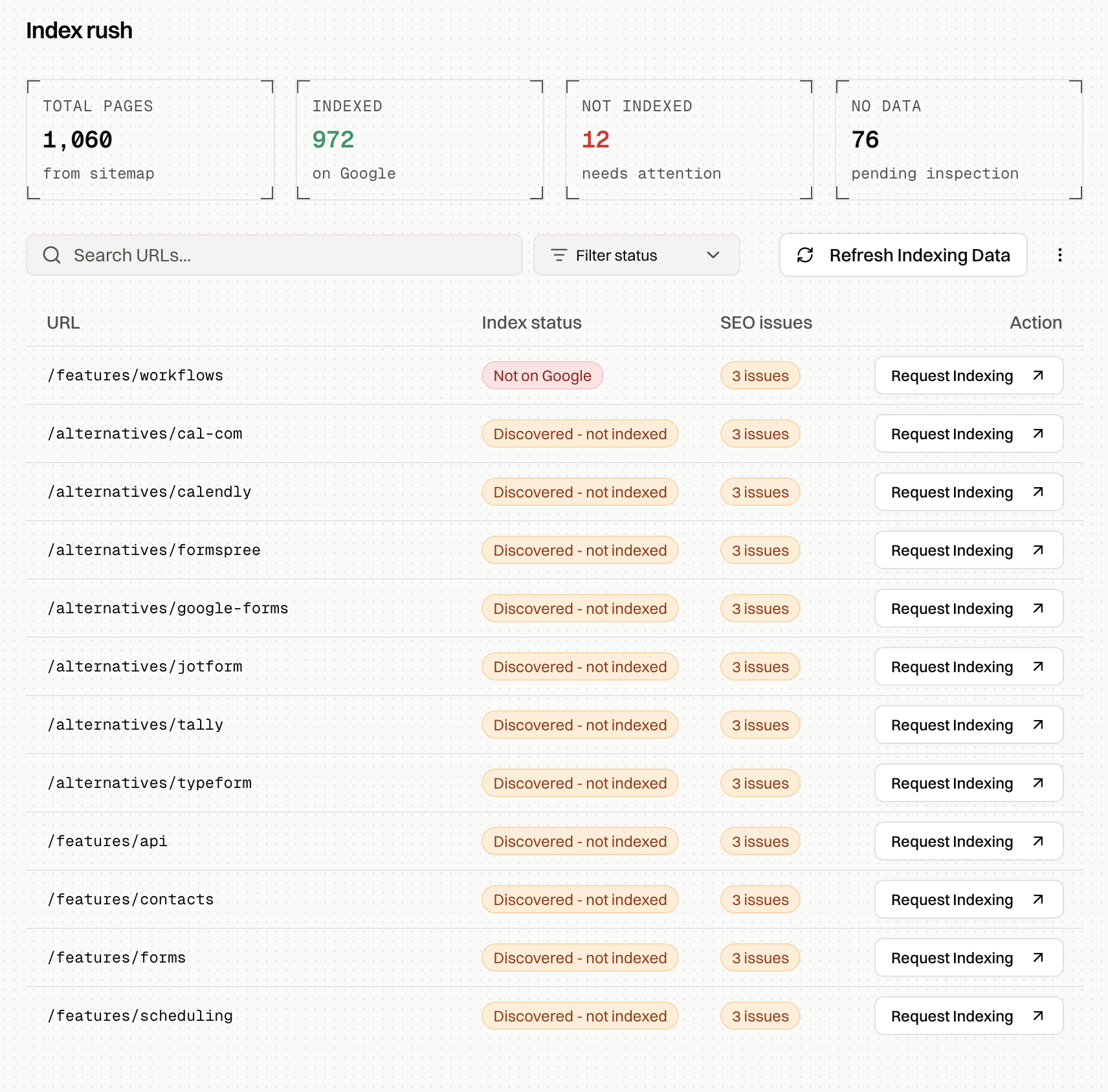
If you're checking more than a handful of pages, inspecting them one by one gets slow. Index Rush pulls the live status of every URL in your sitemap from Search Console, flags the SEO issues on each unindexed page, and shows which ones to request first.
10 ways to get Google to index your website
Work through these in order. The first four get a healthy page indexed on most sites. The rest fix the reasons a page stays out.
1. Verify your site in Google Search Console
Add your site as a domain property in Google Search Console and verify it through a DNS record. A domain property covers every subdomain and both http and https, so you see the whole site in one place. Every other step in this list depends on it, because Search Console is where you submit sitemaps, inspect URLs and request indexing.
2. Submit an XML sitemap
A sitemap tells Google which URLs exist and when each one last changed. Submit it under Indexing and then Sitemaps in Search Console, and add a Sitemap: line to your robots.txt so every crawler can find it. Keep it to canonical URLs that return a 200 status and are allowed to be indexed. A sitemap full of redirects, 404s and parameter variants teaches Google to trust it less. One sitemap file holds up to 50,000 URLs; larger sites split theirs and list the files in a sitemap index.
A sitemap helps Google find your pages. On a new domain with no links, Google often reads it and leaves most of the URLs in the discovery queue, which is why the steps below matter.
3. Request indexing for your most important pages
In URL Inspection, click "Request indexing" on a page that's ready. Google adds it to a priority crawl queue. Search Console allows roughly ten of these requests a day per property, so spend them on the pages that matter most: your homepage, your main product or service pages, and each new article.
A request only moves the page up the queue. If Google already crawled the page and left it out, fix what's wrong before you request it again, or Google will crawl it and reach the same decision.
4. Link new pages from pages Google already indexed
Google finds most pages by following links from pages it already knows. A new page that's only in your sitemap has no path in. Add a link to it from one or two related pages that are already indexed, and from your homepage or a section hub if it's important. Use anchor text that says what the page is about.
Then request indexing for the page that now links to the new one. When Google recrawls it, it finds the new link on the way. This is the fastest way to get a new page on a small or young site crawled.
5. Remove the rules that block indexing
Many "Google won't index my site" cases come down to one rule. Check robots.txt for a Disallow that covers the page. Check the page for a noindex meta tag or an X-Robots-Tag header, which often ships to production from a staging setup or an SEO plugin setting. Check that the canonical tag points to the page itself, and to the https version you actually want indexed.
The URL Inspection tool shows all three: whether crawling is allowed, whether indexing is allowed, and which canonical you declared against the one Google picked. The free SEO audit checks robots.txt, noindex, canonicals and 27 other signals on any page in one run.
6. Make your content readable without JavaScript
If your site builds its content in the browser with JavaScript, Google first receives an almost empty HTML file. The page then waits in a separate rendering queue before Google sees any text, and it's judged on the empty version until then. Most AI crawlers never render JavaScript at all. The section on making your pages readable below covers how to check this and the three ways to fix it.
7. Get your first links from real sites
For a brand-new domain, a few links from sites Google already trusts do more than any other step. They give Googlebot a path to your domain through pages it crawls often, and they show that someone besides you knows the site exists. Three to five links is enough to start.
Good first sources are your Google Business Profile, the directories and associations in your industry, a partner or supplier that lists its clients, a launch post in a community your buyers use, and a founder profile that links home. Paid link packages and mass-produced blog networks do the opposite. They mark the domain as the kind of site Google's filters were built to ignore.
8. Publish pages that are worth indexing
Google indexes the pages that add something its index doesn't already have. Ten location pages that differ only by city name, product pages with the manufacturer's stock description, and thin articles that repeat the top results get crawled and skipped.
On a new site this matters more, because Google forms its opinion of your whole domain from the first pages it reads. Publish your strongest pages first. Give each page one clear topic and something specific: your own data, photos, prices, examples or answers.
9. Keep your server fast and error-free
Googlebot slows down on sites that respond slowly or return errors, and it spreads fewer crawls across the whole site as a result. Open Settings and then Crawl stats in Search Console to see average response time and how many requests failed. Server errors (5xx), rate-limit responses (429), and firewall or bot-protection challenges that block Googlebot all reduce how much of your site gets crawled.
Clean up the redirects too. Every page should answer in one hop, and dead pages should return a real 404 or 410. A "not found" message served with a 200 status is a soft 404, and Google keeps coming back to check it.
10. Use the Indexing API and IndexNow where they apply
Google's Indexing API tells Google the moment a page is added or removed, with a default quota of 200 URLs a day. Google supports it for job postings and livestream event pages only. Tools that push ordinary pages through it sometimes get them crawled, but the API doesn't vouch for the page, and pages without real value tend to drop back out.
IndexNow is a similar ping protocol used by Bing, Yandex, Seznam and Naver. Google doesn't use it, so it won't speed up Google indexing, but it's worth turning on for Bing, which also feeds Microsoft Copilot.
Make your pages readable to Google
Search engines and AI crawlers can only index what arrives in the HTML. Sites built with React, Vue, Angular or an AI website builder often send a nearly empty file with a script tag and build the page in the browser. Google renders that JavaScript in a delayed second pass, and a script error or a slow API can leave the rendered page empty. GPTBot, ClaudeBot and PerplexityBot read the raw HTML and move on.
To check your own page, run it through the free Googlebot Simulator. It fetches the URL as Googlebot and shows the status code, the HTML and the text the crawler receives. If the text is missing, the page needs to send its content as HTML.
There are three ways to do that. Static site generation builds every page as HTML at deploy time, which suits content that changes on publish. Server-side rendering builds the HTML on each request, which suits pages with live data. Pre-rendering keeps your existing app and serves crawlers a fully rendered copy of each page from a cache, while visitors get the normal site. The SSR vs SSG vs pre-rendering guide compares what a crawler receives from each and when each one is the right choice.
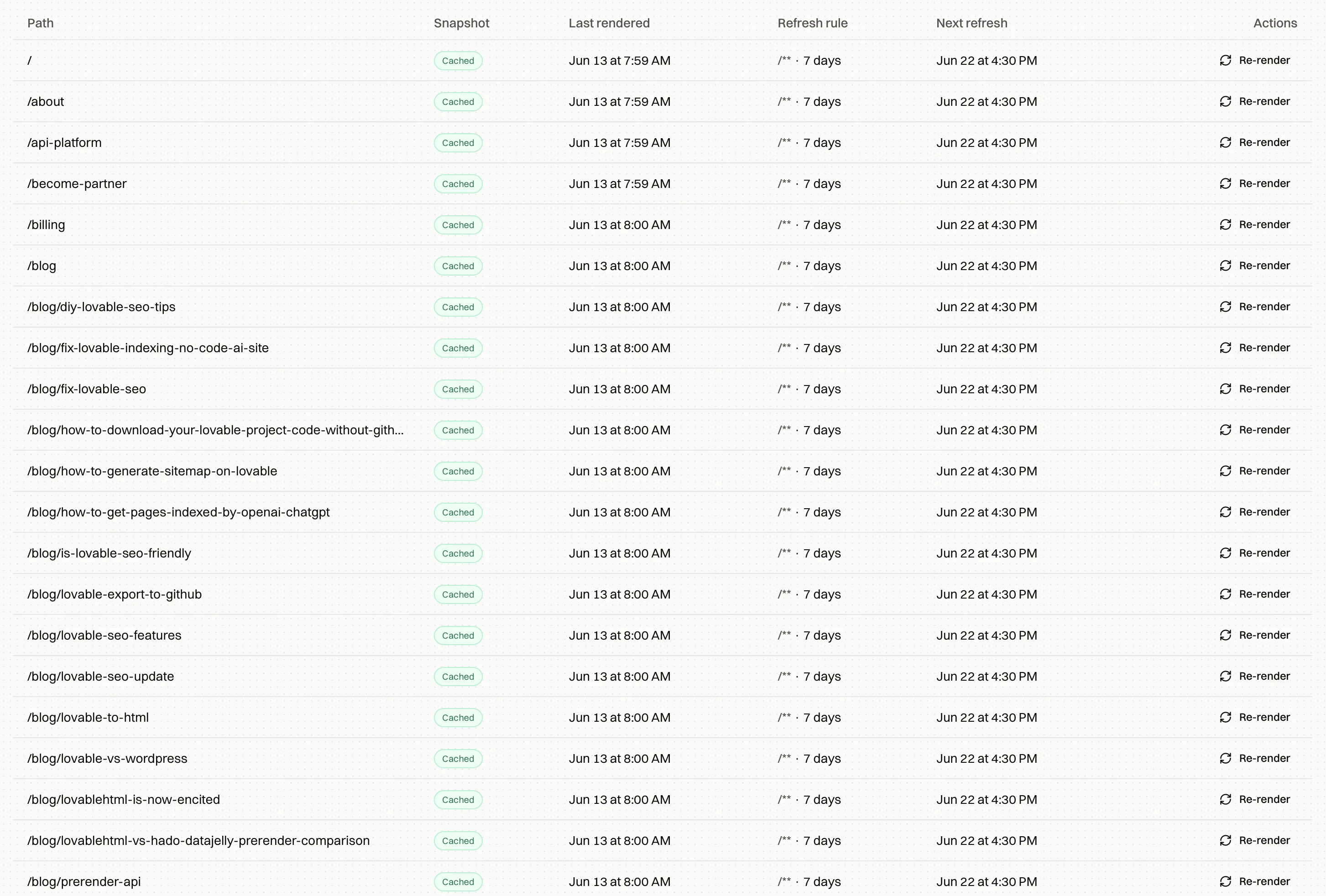
Rebuilding an existing app for server-side rendering is a large project. Pre-rendering is the route that needs no code changes. Encited pre-renders your pages for every search and AI crawler after a DNS change that takes about five minutes, and pre-rendered pages on Encited get indexed roughly 5x faster than the same sites served as JavaScript shells.
Encited pre-renders your JavaScript pages for every search and AI crawler. DNS setup in about 5 minutes, plans from $19/mo, 14-day free trial.
How long does Google take to index a page?
On an established site that publishes often, a new page usually gets indexed within a few hours to a few days, and a manual request can shorten that to hours. A healthy small site takes days to a couple of weeks. A brand-new domain with no external links can wait anywhere from two weeks to two months before most of its pages are in, and the links and content work above is what shortens that wait.
Pages that need JavaScript to show their content take longer at every stage, because each one waits for rendering. Pages that Google already crawled and rejected don't get indexed with time alone. They need a change first.
Why Google isn't indexing your page
The Pages report in Search Console gives every unindexed URL a reason. Two of them cover most of the pages people worry about.
Discovered - currently not indexed means Google knows the URL exists and hasn't crawled it yet. The page is waiting in a queue that doesn't move, usually because the site hasn't earned enough crawl demand, the page has too few internal links, or Googlebot is busy with low-value URLs. The guide to fixing Discovered - currently not indexed walks through each cause.
Crawled - currently not indexed means Google fetched the page and decided to leave it out. The usual reasons are an empty rendered page, a duplicate that Google prefers, a canonical pointing elsewhere, or content Google judged too thin to add. The guide to fixing Crawled - currently not indexed covers how to find which one applies.
The other reasons, such as "Excluded by noindex tag", "Page with redirect" and "Duplicate without user-selected canonical", are often the site working as intended. The field guide explains every status in the Pages report and when each one needs a fix.
How to get each type of site indexed
A brochure site with five to twenty pages should be the easiest to index. When it stalls, it's almost always a new domain with no links, a JavaScript build that sends Google an empty page, or near-identical service and location pages. The brochure site section of the field guide covers each.
Directories and programmatic sites need the most care, because Google judges the template before it indexes the pages. Release them in small, complete clusters and link every listing from a hub page. The directory section explains how to size each release.
Blogs on an established domain index quickly when every new post is linked from an older one and requested in URL Inspection. Publishing faster than your crawl budget can absorb leaves a backlog of unindexed posts. The blog section covers cadence and keeping older posts indexed.
Online stores combine a large page count, faceted navigation and often a JavaScript storefront. Unique product content, strict control of filter URLs and deliberate handling of discontinued products carry most of the weight. The e-commerce section goes through each.
FAQ
Is Google indexing free?
Yes. Google crawls and indexes pages at no cost, and Search Console is free. There's no paid way to get a page indexed or ranked by Google. Paid "indexing services" use workarounds such as the Indexing API, and the pages they push tend to fall back out if they don't earn a place.
Can I pay Google to index my website?
No. Google Ads can show your page as an ad, but it has no effect on organic indexing or rankings.
How do I stop Google from indexing a page?
Add a noindex meta tag to the page, or send an X-Robots-Tag: noindex header, and leave the page crawlable so Google can see the tag. Blocking the page in robots.txt stops Google from crawling it, but the URL can still be indexed from links elsewhere, shown without a description. To remove a page from results quickly, use the Removals tool in Search Console as well; a removal lasts about six months.
Why is my page indexed but not ranking?
Indexing puts the page in Google's library. Ranking decides whether it gets recommended for a search. If URL Inspection says "URL is on Google", the remaining work is relevance, content quality and links.
Does Google index JavaScript websites?
Google renders JavaScript, but in a delayed queue that can take days or longer, and a single error can leave the rendered page empty. Bing renders far less, and most AI crawlers don't render at all. Sending your content as HTML through static generation, server-side rendering or pre-rendering removes the problem for every crawler.
How often does Google recrawl my site?
It depends on how often your content changes and how much Google values it. Homepages and active sections of popular sites get crawled several times a day. Pages that rarely change may wait weeks. Crawl stats in Search Console shows how many requests Googlebot makes to your site each day.