
Work through the issue list
A finished audit returns hundreds of findings across every page it crawled. The issue list groups them so one fix clears many pages at once, and each group hands you a ready-made prompt for whatever builds your site.
Time: 20 minutes for a first pass. You need: a completed audit.
Where to find it#
Inspect & Optimize → SEO Spider → Issues.
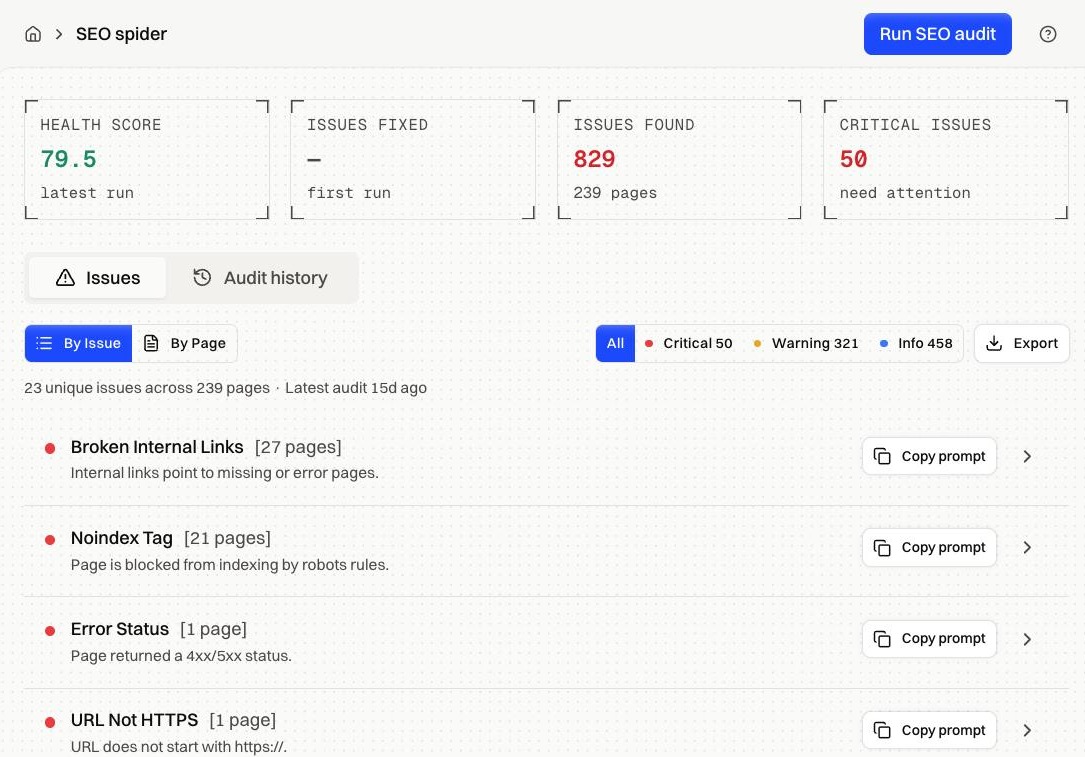
Four tiles sit above the list.
| Tile | What it shows |
|---|---|
| Health Score | Average page score from the latest run, out of 100 |
| Issues Fixed | How many fewer issues than the previous run |
| Issues Found | Total findings across every crawled page |
| Critical Issues | Critical-severity findings only |
The line under the filters counts unique issues and affected pages, dates the latest audit, and tells you how old the audited snapshots were.
How it works#
Two views#
By Issue groups findings by type: one card per issue, with the number of pages it affects. Work here. Fixing "Missing H1" once in a shared template clears it from every page in the group.
By Page flips it. One card per URL with its health score, HTTP status, and severity breakdown.
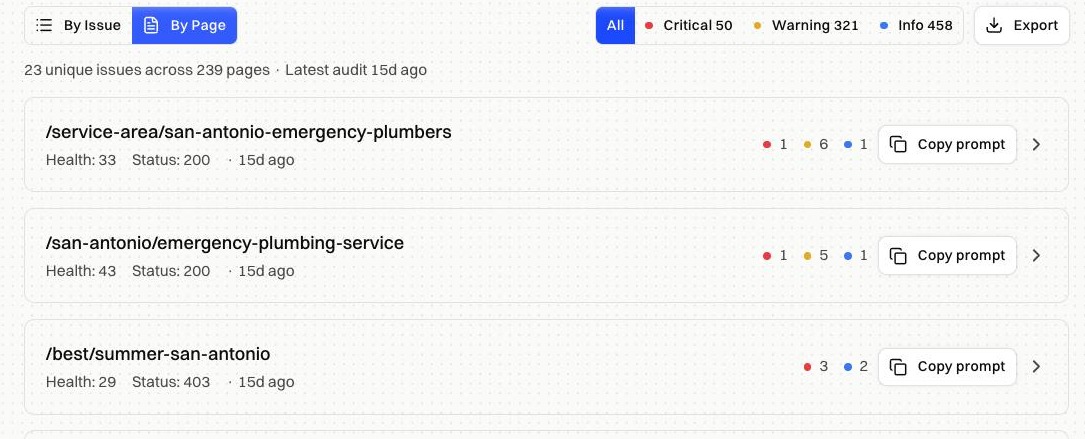
Use By Page when you're about to edit one specific URL and want everything wrong with it in front of you.
Filters#
All, Critical, Warning, and Info each carry a live count. Start on Critical and clear it before anything else.
Opening a group#
Expanding an issue lists every affected page, and most findings carry the specific detail next to the path.
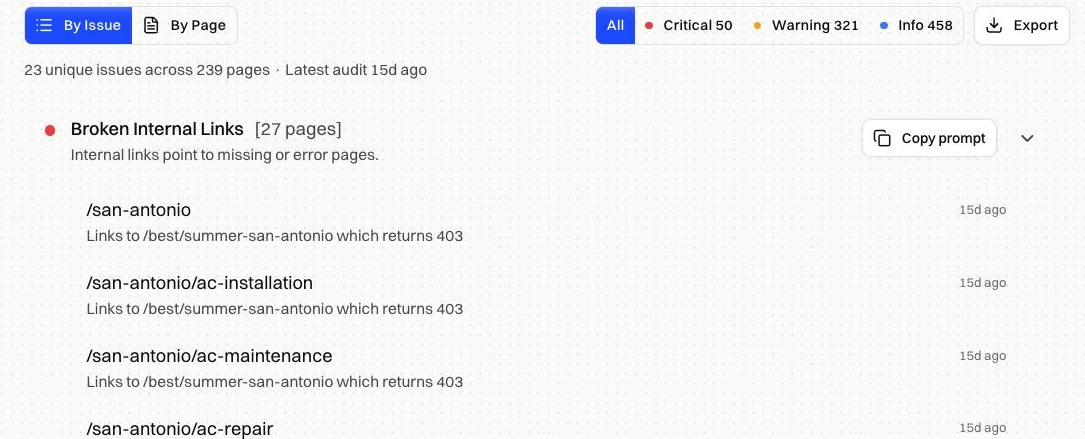
Clicking a path opens a drawer with that page's own record: health score, status, load time, word count, incoming internal links, HTML size, readability.
Copy prompt#
Every issue group and every page card has a Copy prompt button. It copies the fix instructions for that finding together with the full list of affected URLs, ready to paste.
Three steps from there:
- Paste the prompt into your coding agent or AI website builder.
- Publish the changes on your live domain.
- Re-render the affected pages so crawlers get the fixed HTML.
Skip the third and the fix is live for visitors while bots keep reading the old snapshot.
Export#
Export downloads the current view as CSV and respects the severity filter you're on. Filtering to Critical and exporting gives a developer the short list.
What to fix first#
- Error status and soft 404s. The page can't be indexed at all.
- Noindex tags. You're telling search engines to skip the page.
- Broken internal links. They waste crawl budget and strand the pages behind them.
- Duplicate titles, missing canonicals, thin content. The page is indexed but competing with itself.
- Info findings. Pick these up while you're already editing the file.
Fixes by symptom#
| Symptom | What to check |
|---|---|
| An issue you fixed is still listed | Audits read snapshots. Re-render the page, then run again |
| Issue count went up after a round of fixes | The run reached more pages than the last one. Compare Δ Issues in Audit history |
| One page appears under several issues | Each finding is separate. A page with a missing H1 and a short title lands in both groups |
| A group lists pages you deleted | They were live when the crawl ran. The next audit drops them |
| Broken internal links point at pages that load fine for you | The link target returns an error to crawlers. Open it in Pre-rendering |
FAQ#
Does the list refresh on its own? It reloads when a run finishes.
Are these numbers live? They come from the most recent audit that covered each page. A page keeps its last known state until it's crawled again.
Can I dismiss a finding? No. Fix it or leave it; the next audit re-checks every page it reaches.