
Set up your brand book
Your visibility numbers are only as good as the profile behind them. The brand book decides which mentions count as yours, who counts as a competitor, and which prompts get suggested. Set it once and everything downstream reads correctly.
Time: 10 minutes. You need: a site added to Encited.
1. Open the brand book#
Go to Configure → Brand book in the left sidebar. It's also the Brand Book button on the Prompts page.
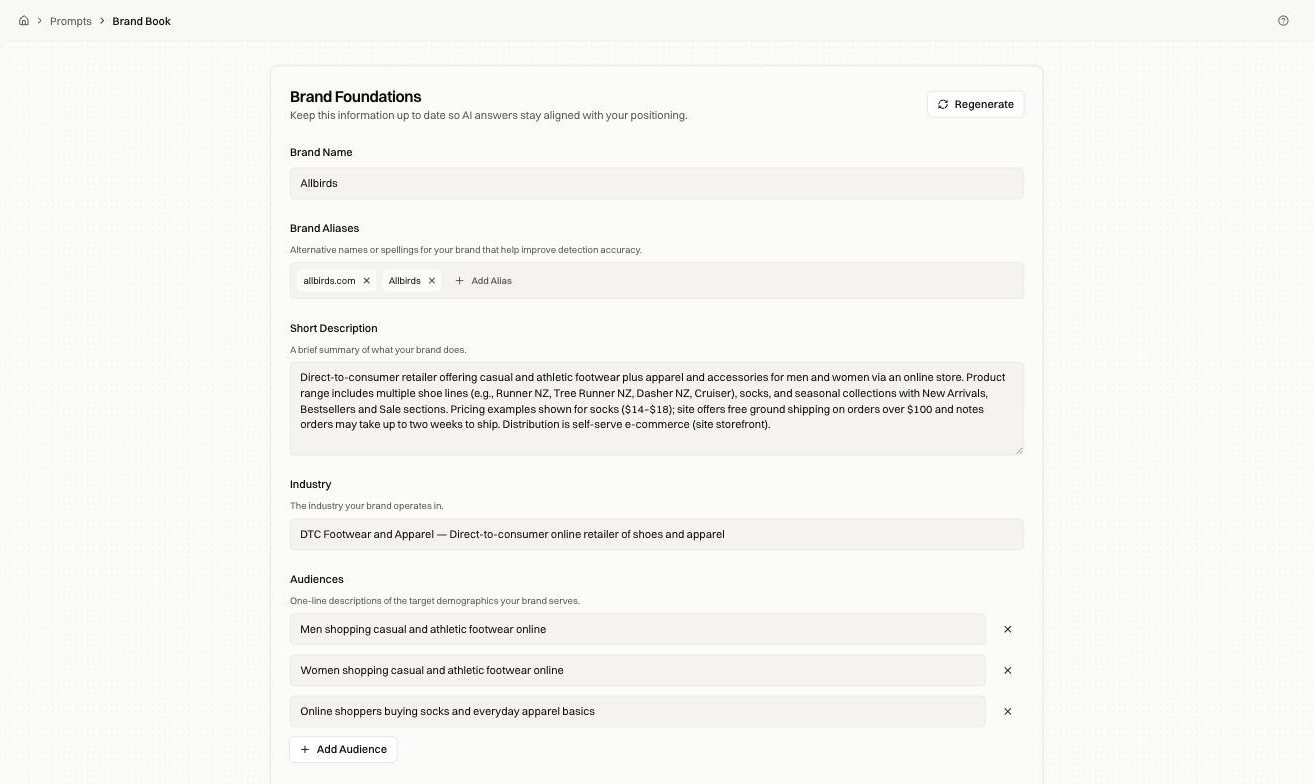
If the page is empty, click Regenerate. Encited reads your site and fills in every field below.
2. Check the fields that affect detection#
Two fields decide whether a mention is recorded as yours.
| Field | Why it matters |
|---|---|
| Brand Name | The name Encited looks for in an answer |
| Brand Aliases | Other spellings and your domain. An answer that says "allbirds.com" instead of "Allbirds" only counts if the alias is listed |
Add every way a buyer might write your name: the domain, an abbreviation, a former name, a common misspelling.
3. Check the competitor list#
Scroll to Competitors. Each row is a name and a URL.
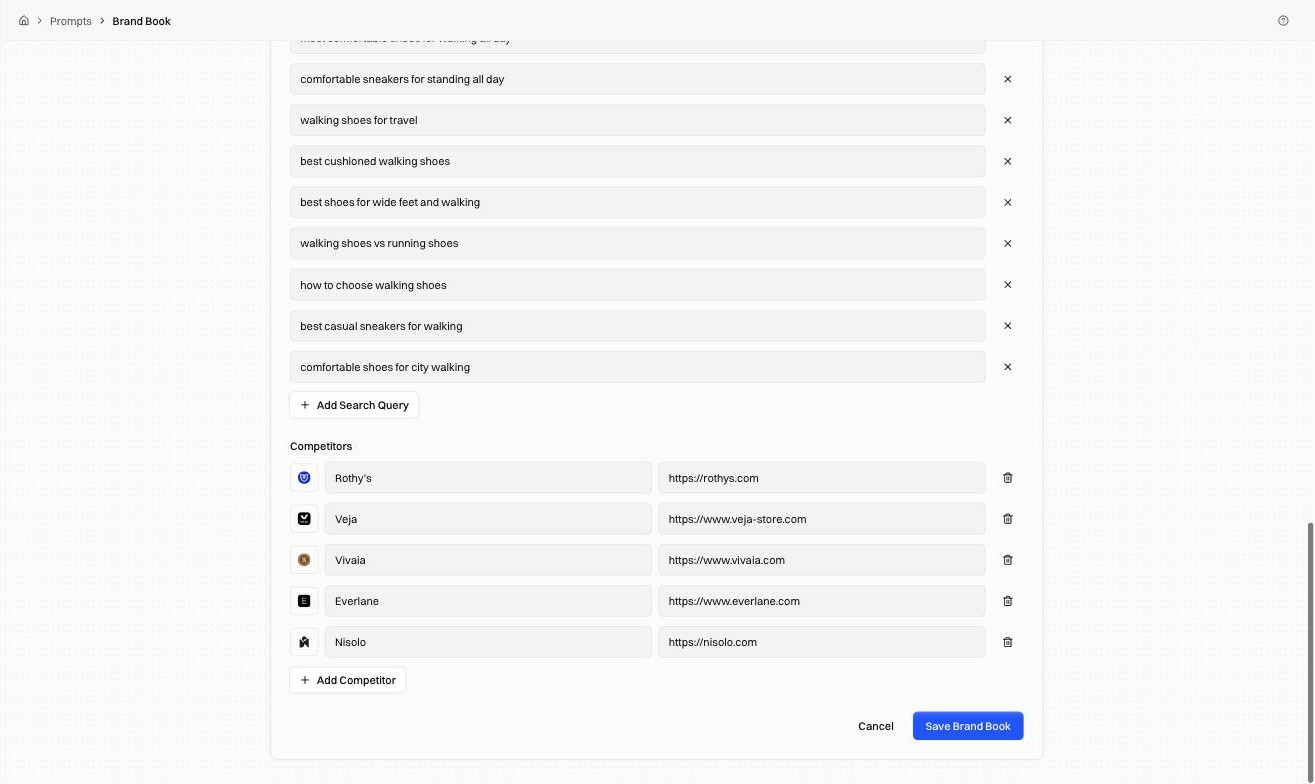
A competitor that isn't listed goes uncounted when an answer names them, so your share of voice reads higher than it is. Add anyone who shows up in the same answers as you, including brands you don't consider direct rivals.
4. Check the rest#
The remaining fields feed prompt suggestions and the analysis of each answer:
| Field | Used for |
|---|---|
| Short Description | What you sell, in one paragraph |
| Industry | The category you compete in |
| Audiences | Who you sell to, one line each |
| Ideal Buyer Persona | Who is searching for products like yours |
| Country and Language | Which market the answers are checked against |
| Value Propositions | The problems you solve |
| Search Queries | Queries your buyers use, which seed prompt suggestions |
Read the generated text and edit it. If a sentence describes your company instead of what a buyer gets, rewrite it.
5. Save#
Click Save Brand Book. Changes apply to the next run, and answers already collected keep their original analysis.
Fixes by symptom#
| Symptom | Fix |
|---|---|
| Answers clearly name you but visibility reads 0% | Add the missing spelling to Brand Aliases |
| Share of voice looks too good | A competitor is missing from the list |
| Suggested prompts are off-topic | Industry or Audiences are too broad; tighten them and regenerate |
| Answers are checked against the wrong market | Fix Country and Language |
FAQ#
Does regenerating overwrite my edits? Yes. Regenerate re-reads your site and replaces the fields, so re-apply anything you hand-corrected.
How often should I update it? When your positioning, market, or competitor set changes.